From raw analytics to a reading of your site in plain language.
Connect Google once. Outcomes By Page reads Analytics and Search Console together and tells you what held up, what might, and what to do about it.
What you get
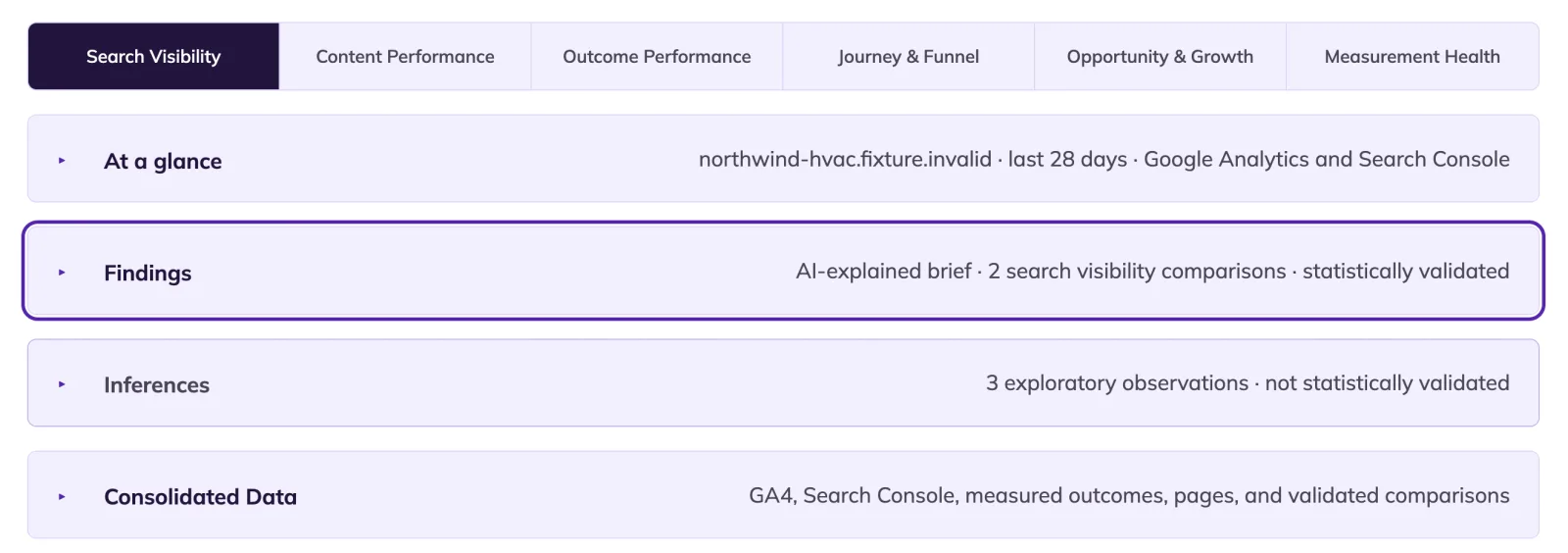
Outcomes By Page consolidates your GA4 and Search Console information into one comfortable, organized and human-readable interpretation layer. Take validated or inferred evidence as a top-level action item, or click on the information chips at the reporting layer to dig deeper into your site’s data.
Validation
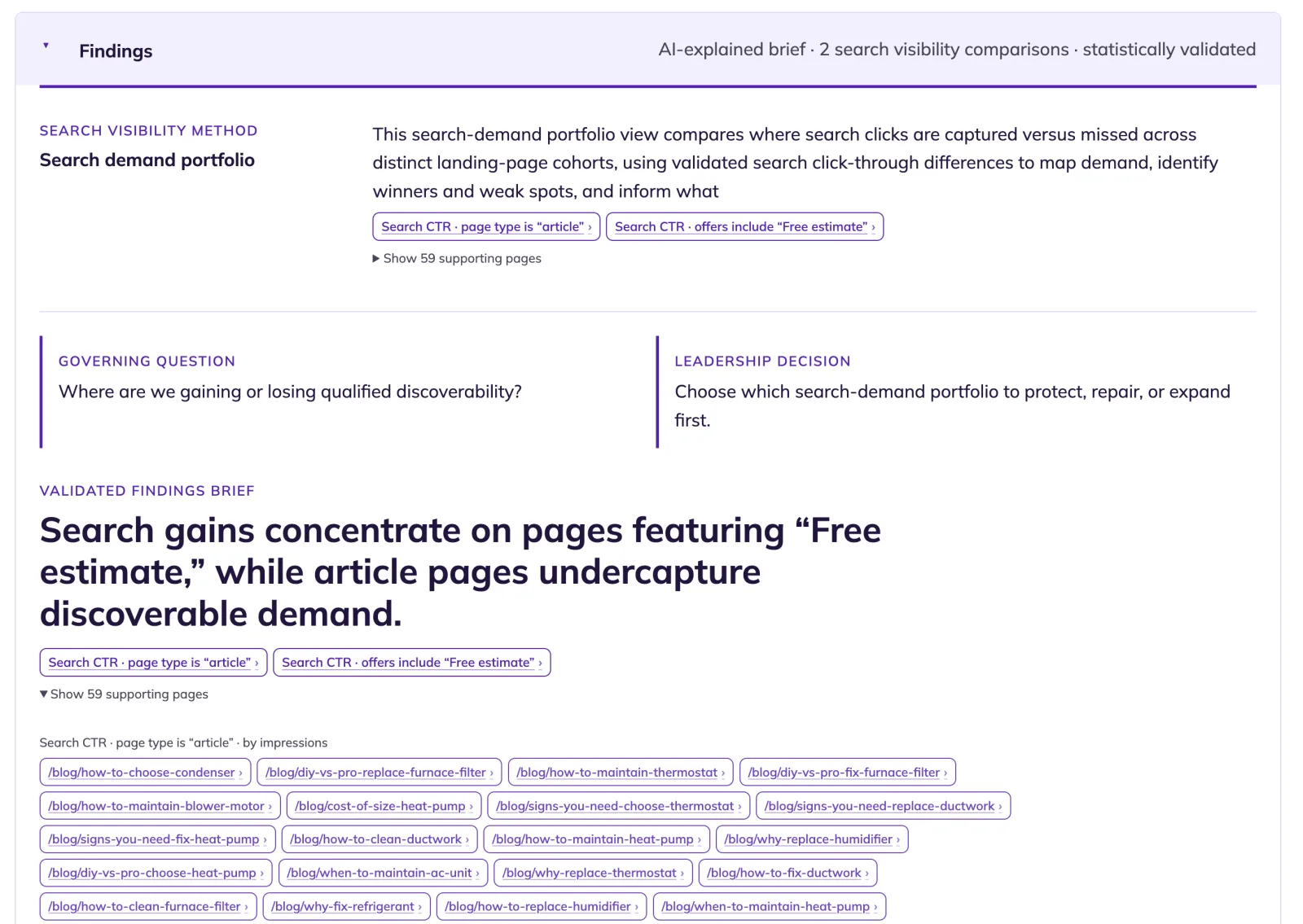
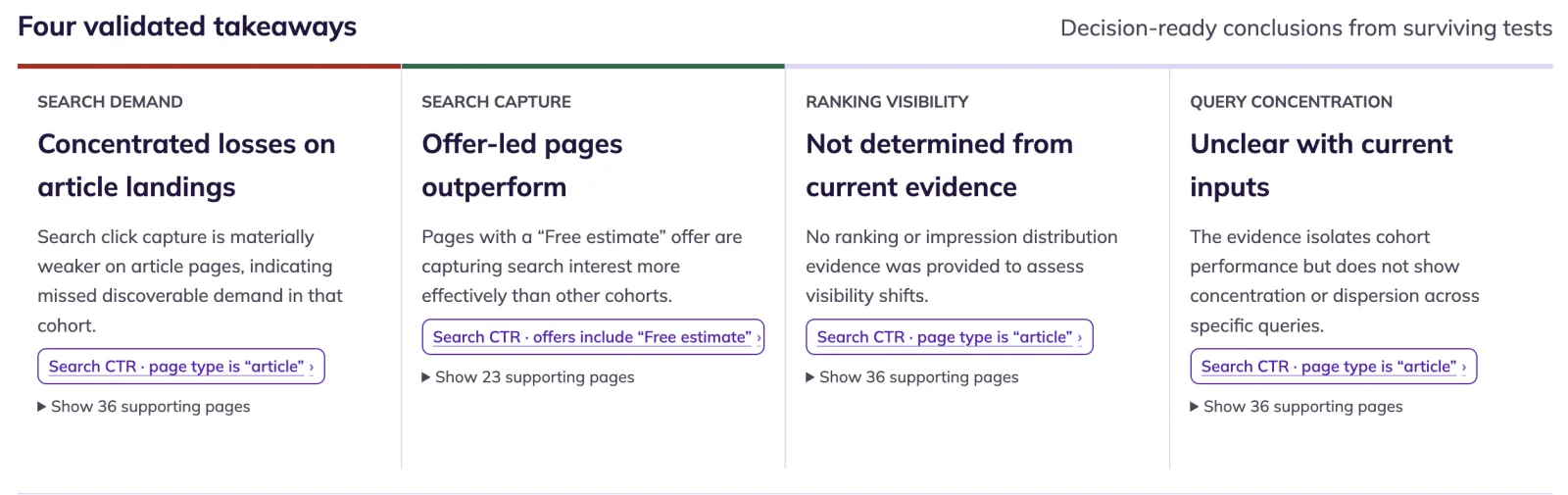
We report what the data can specifically validate: every Finding is a statistical comparison that survived sample-size, effect-size, and false-discovery checks before it reached you. The AI writes each one up with contextual notes, organized by analytics discipline, so a search-visibility finding reads differently from an outcome-performance one. Nothing in a Finding is a guess; the comparison, the confidence, and the supporting pages are one click away.
Inferences
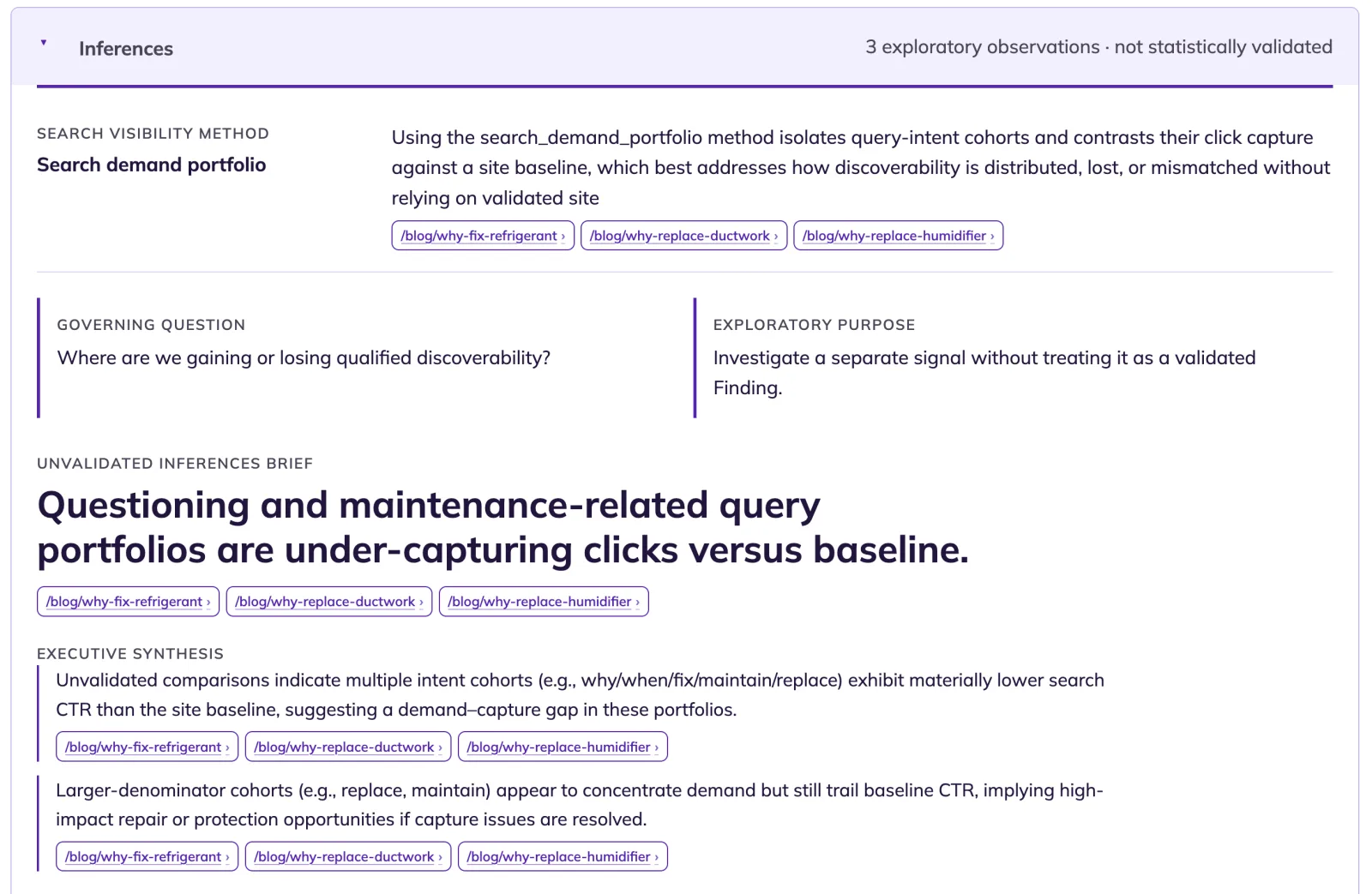
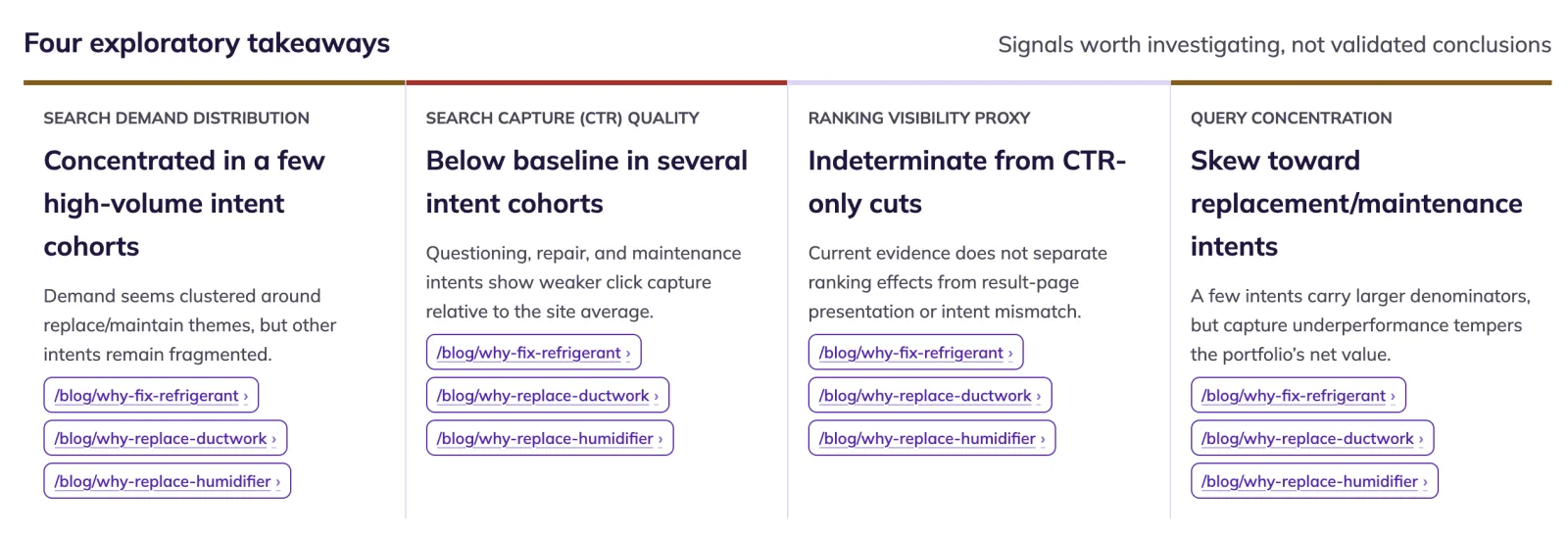
Just because data can’t be validated doesn’t mean there is no useful data to extract. Our inferences tool looks for other patterns and surface-able information. We provide a glimpse toward potential hidden insights.
Ready to say goodbye to regex forever?
Our AI chat interface will do the deep digging for you. The AI has grand perspective and can categorize your data across both Analytics and Search results and return data-rich results. Always human readable and actionable for deeper analysis.
And no need to be lawyerly!
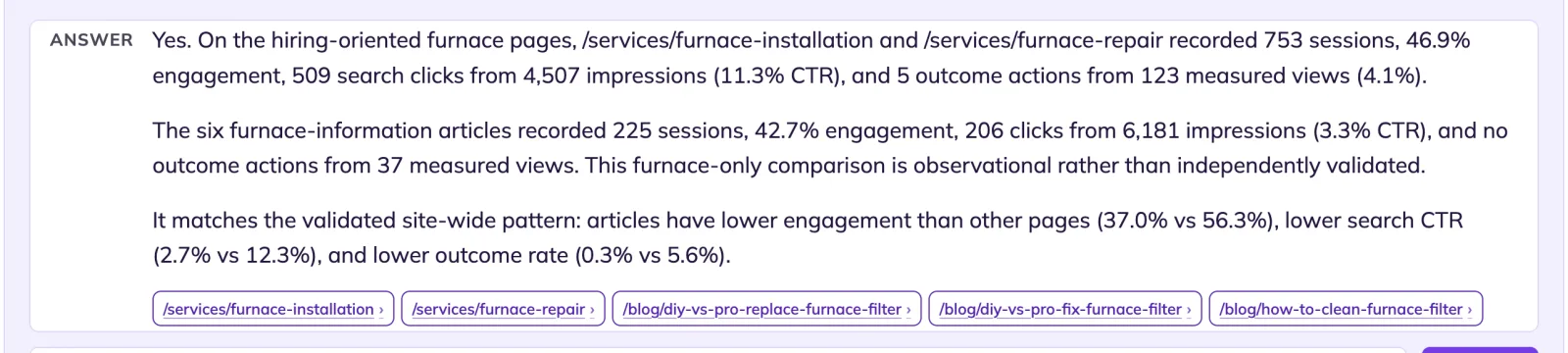
Compare Northwind HVAC furnace pages for non-branded high-intent service queries versus informational queries and identify differences in search and outcome behavior.
Do people looking to hire Northwind for furnace work behave differently than people just looking for furnace information?
See the distinction that makes this work
Outcomes, intent actions, and engagement are not the same thing — and treating them as one number hides what matters.
See how we measureAnalytics and search evidence, organized by the job of the page.
Connect your analytics and search tools once to bring together what people searched for, which pages they reached, and what they did next.
One read-only connection
You connect through Google’s standard sign-in and grant read-only access to Analytics and Search Console. Outcomes By Page cannot change either product, publish content, alter settings, or write data into your Google account.
Google Analytics
Analytics shows what happened after a visit reached your site. Outcomes By Page maps sessions, engagement, key events, channels, and geography to the pages and business outcomes you approved.
The property is matched to your domain using its installed measurement tag or configured web-stream address, reducing the risk of attaching another site’s data.
Google Search Console
Search Console shows how people found each page: queries, impressions, clicks, click-through rate, and average position. This evidence adds search intent to the page-level performance story.
Both Domain and URL-prefix properties are supported. A Domain property is optional; Outcomes By Page can match the verified URL-prefix property for the address your site actually uses.
How the two sources work together
Search Console explains the demand before the visit. Analytics explains behavior after arrival. Outcomes By Page joins both sources by page, so a finding can distinguish search visibility from on-site engagement and measured outcomes instead of treating a pageview as success.
Reporting windows stay honest
Search Console data is finalized later than Analytics data, so search reporting ends three days earlier. The dashboard labels each reporting window rather than filling recent dates with incomplete data or showing a false decline.
What the integration never reads
The collector never reads keystrokes, input values, form contents, passwords, or payment data. Form measurement records an attempt, a validation failure, or a confirmed success — never what was typed. Google receives event metadata only when configured and permitted; never names, email addresses, or document contents.
Consent follows your site’s signal
The snippet reads the consent signal your site already emits: Google Consent Mode v2, IAB TCF v2.2, Global Privacy Control, or a direct call from your own code. When a signal is present it starts only when analytics is allowed and stops the moment a visitor declines or withdraws; a denied visit produces no record. When no signal is present it runs for every visitor. We do not supply a consent banner and we do not decide whether your site needs one; that decision, and the mechanism, are yours (see the FAQ and Privacy). Reading Search Console reports does not place a visitor-side tag or cookie.
You stay in control
Revoking access through your Google account or disconnecting inside Outcomes By Page stops the connection immediately. Historical reports remain available while your account is active; see Privacy for retention detail.